
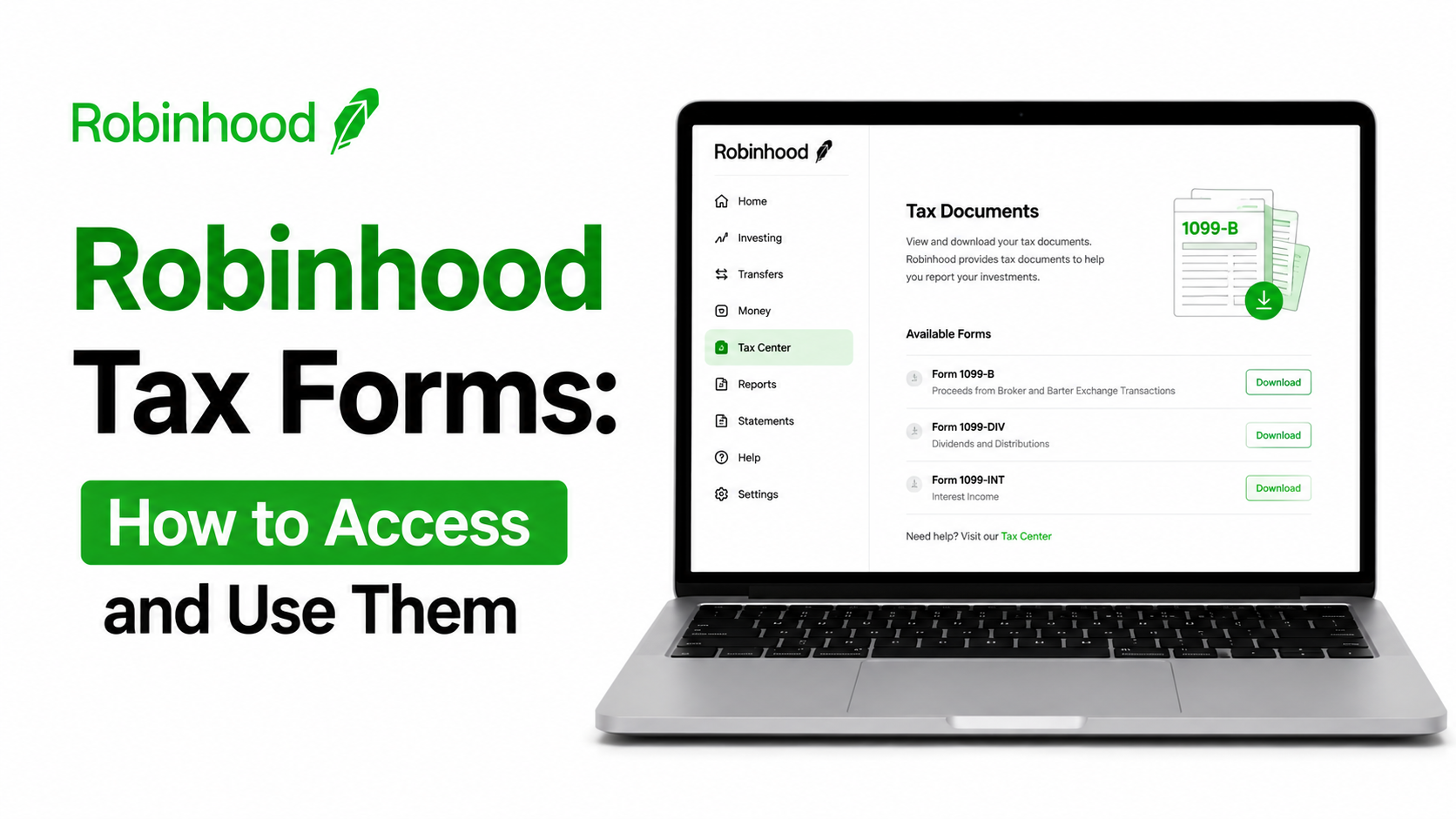
Robinhood issues several Robinwood tax forms depending on your account activity. Most investors receive a single Consolidated 1099 from Robinhood Markets, Inc. This document combines forms for Robinhood Securities, Robinhood Crypto, Robinhood Derivatives, and Robinhood Money.
Form 1099-B reports proceeds from stock, ETF, and options sales. It shows your sale amounts, and in many cases your cost basis. Section 1256 contracts, including certain options and futures, appear in a separate part of this form.
Form 1099-DIV reports dividend income paid into your account. You’ll see ordinary dividends and qualified dividends listed separately. Qualified dividends often receive more favorable tax treatment.
Form 1099-INT reports interest income from cash balances or lending programs. Robinhood generally issues this form once you earn ten dollars or more in interest.
Form 1099-MISC covers miscellaneous income, such as referral bonuses or free stock promotions. Robinhood typically issues this form once your miscellaneous income reaches six hundred dollars. Crypto rewards of six hundred dollars or more also trigger a 1099-MISC.
Form 1099-DA is a newer form for digital asset transactions. It reports crypto sales and exchanges instead of using Form 1099-B for that activity.
Retirement account holders may also receive Form 1099-R and Form 5498. These cover distributions and contributions inside a Robinhood IRA.
Robinhood Tax Documents
Your Consolidated 1099 pulls together several income types into one package. Investment income includes realized gains and losses from selling securities. Dividend reporting shows payments from stocks and funds you held during the year.
Interest reporting covers earnings from uninvested cash or brokerage cash sweep programs. Capital gains reporting separates short-term and long-term transactions for tax purposes. Short-term gains apply to assets held one year or less. Long-term gains apply to assets held longer than one year. Robinhood customer service phone number
Robinhood aggregates many trades into single lines on your 1099-B. This keeps the document shorter while still meeting IRS reporting rules. Full transaction-level detail remains available through downloadable CSV files.
Robinhood Tax Documents 2026
For the 2025 tax year, Robinhood plans to email users when documents are ready. That notification is expected by February 17, 2026. Your Consolidated 1099, including Form 1099-B and Form 1099-DA, is due by that same date.
Form 1099-R for retirement distributions is due by February 2, 2026. Form 5498 for IRA contributions follows later, by June 1, 2026. 1042-S Form for nonresident alien withholding is due by March 16, 2026. Form 480.6 series documents, relevant to Puerto Rico filers, are due by March 3, 2026.
Tax day for the 2025 tax year falls on April 15, 2026. Robinhood has confirmed these dates through its official Tax Center guidance. Always check your account directly, since individual timing can shift with corrections.
When Will Robinhood Release Tax Documents?
Most Robinhood users can expect their Consolidated 1099 by mid-February. For the 2025 tax year, that date is confirmed as February 17, 2026. Robinhood Retirement forms tend to arrive slightly earlier, around the start of February.
Release timing depends partly on account activity and data verification. Complex accounts, including those with crypto or options trading, sometimes take longer. Robinhood may also issue corrected forms after the original release date.
A corrected 1099 arrives with a Delta page attached. This page highlights exactly what changed from your original document. Waiting for a corrected form before filing can prevent mismatched IRS records.
When Will Robinhood Tax Forms Be Available?
Robinhood tax forms become available inside the app or website Tax Center. Documents typically post there on or before the official due date. Some users see forms slightly earlier if their account activity finalizes early.
Robinhood sends an email notification once your documents are ready for download. In-app alerts often accompany this email around the same time. Checking your Tax Center directly remains the most reliable way to confirm availability.
Corrected forms follow a similar notification pattern. Robinhood emails affected users when a corrected 1099 becomes available. Reviewing every notification carefully helps you avoid filing with outdated numbers.
How to Download Robinhood Tax Documents
Downloading the Robinhood tax documents takes just a few steps on mobile or web.
Mobile App:
Open the Robinhood app and tap the Account icon. Tap the Menu icon, shown as three horizontal lines. Select Tax Center from the menu options. Choose the tax year and form you need. Tap the document to view or download it.
Website:
Log into Robinhood through your web browser. Click your account icon in the upper right corner. Select Tax Center from the dropdown menu. Choose the relevant tax year and document. Download the PDF directly to your device.
Robinhood recommends web classic for very large tax documents. Larger files sometimes load or download more smoothly through a browser. Your document includes a master account number and document ID. These numbers help you import data directly into TurboTax or H&R Block.
Robinhood Tax Calculator
Many investors search for a Robinhood tax calculator to estimate what they owe. Robinhood does not currently offer an official built-in tax calculator. The platform provides transaction history and your Consolidated 1099 instead.
Gain and loss calculations differ from full tax liability estimates. A gain or loss calculation compares your sale price against your cost basis. Estimated tax calculators go further, factoring in your income bracket and filing status.
Your actual IRS tax liability depends on many personal factors. These include total income, deductions, filing status, and state tax rules. Third-party calculators can offer rough estimates, but they aren’t authoritative. Your Consolidated 1099 remains the official record for filing purposes.
Robinhood Crypto Tax Forms
Robinhood Crypto activity gets reported differently than stock and ETF trading. Selling or exchanging crypto counts as a taxable event under IRS rules. Robinhood now uses Form 1099-DA to report these digital asset transactions.
Form 1099-DA replaced Form 1099-B for crypto sales starting with 2025 transactions. Any disposal of crypto can trigger reporting, regardless of profit or loss. There’s no minimum dollar threshold for this particular form.
Crypto rewards, including certain promotions, get reported separately on Form 1099-MISC. Robinhood issues this form once rewards reach six hundred dollars for the year. Qualifying stablecoin sales get aggregated once total proceeds exceed ten thousand dollars.
Cost basis reporting for crypto continues to expand each year. Both gross proceeds and cost basis get reported for the 2026 tax season. This includes cost basis tracking for certain crypto transfers between accounts.
You can also download full crypto transaction histories as CSV files. These files support detailed recordkeeping beyond what appears on your 1099-DA.
Do All Robinhood Users Receive Tax Forms?
Not every Robinhood account receives a tax form each year. Robinhood only issues a 1099 when your account has reportable activity. Accounts with no sales, dividends, interest, or qualifying rewards typically won’t trigger a form.
Interest income under ten dollars generally doesn’t require a 1099-INT. Miscellaneous income and crypto rewards under six hundred dollars generally skip a 1099-MISC. Joint investing accounts and managed accounts receive their own separate tax documents.
Retirement accounts follow different rules, tied to contributions and distributions. A Robinhood IRA with no reportable activity may not generate every possible form. Reviewing your Tax Center each year confirms exactly what you’ll receive. Trading fees on Robinhood
Why Haven’t My Robinhood Tax Documents Appeared Yet?
A missing tax document doesn’t always signal a problem. Documents may not be released yet, especially early in the season. Robinhood typically finalizes most forms by mid-February for the prior tax year.
Pending corrections can also delay a document’s appearance. Robinhood sometimes updates forms after receiving revised data from issuers or partners. No reportable activity is another common reason a form never appears.
Technical issues occasionally affect document loading inside the app. Logging out and back in, or reinstalling the app, often resolves display problems. Contacting Robinhood support helps when a document seems genuinely missing.
What Information Appears on Robinhood Tax Forms?
Your Consolidated 1099 organizes information by form type and transaction category. The 1099-B section lists sale proceeds, cost basis, and resulting gains or losses. Dates acquired and sold appear alongside each aggregated transaction line.
The 1099-DIV section separates ordinary dividends from qualified dividends. The 1099-INT section shows total interest earned during the tax year. The 1099-MISC section lists miscellaneous income, including bonuses and larger crypto rewards.
Section 1256 contracts appear in their own dedicated section. This applies to certain options and futures with unique tax treatment. Your document ID and master account number appear on the cover page. How to Sell Stock and Withdraw Money from Robinhood
How to Prepare Before Tax Season
A little preparation makes filing season considerably smoother. Start by confirming your personal and tax information inside your Robinhood profile. Outdated addresses or missing tax identification numbers can delay form delivery.
Review your transaction history throughout the year, not just in February. Download CSV files periodically so you have backup records. Save PDF copies of every tax document once they become available.
Track crypto activity carefully, since dispositions can happen frequently and quietly. Organize your investment records by account type, especially if you hold multiple Robinhood accounts. Keeping everything centralized saves time when you’re ready to file.
Common Robinhood Tax Mistakes to Avoid
Waiting until the filing deadline often leads to rushed, error-prone returns. Ignoring a corrected 1099 is another common and costly mistake. Filing with outdated numbers can trigger IRS mismatches down the road.
Forgetting crypto activity is a frequent oversight among newer investors. Every crypto disposal, including small trades, may carry tax consequences. Losing downloaded tax documents makes future recordkeeping unnecessarily difficult. How to Fix Robinhood Login Error
Filing before Robinhood releases your final forms risks costly amendments later. Patience during tax season protects both your accuracy and your peace of mind.
Frequently Asked Questions
What tax forms does Robinhood provide?
Robinhood provides a Consolidated 1099 covering securities, crypto, and cash activity. Retirement accounts may also receive Form 1099-R and Form 5498.
When will Robinhood release tax documents?
For the 2025 tax year, Robinhood plans to send documents by February 17, 2026. Retirement forms are expected slightly earlier, by February 2, 2026.
When will Robinhood tax forms be available?
Forms typically appear in the app or website Tax Center around their official due date. Robinhood sends an email notification once documents are ready.
How do I download Robinhood tax documents?
Open the Tax Center through the Account menu on mobile or web. Select the relevant tax year and download the PDF directly.
Does Robinhood provide crypto tax forms?
Yes, Robinhood issues Form 1099-DA for crypto sales and exchanges. Crypto rewards over six hundred dollars appear separately on Form 1099-MISC.
Does Robinhood have a tax calculator?
Robinhood does not currently offer an official tax calculator. Your Consolidated 1099 and transaction history serve as your primary records instead.
Why haven’t my Robinhood tax documents arrived?
Documents may not be released yet, or your account may lack reportable activity. Pending corrections can also delay a form’s appearance.
Do I always receive Robinhood tax forms?
No, forms only arrive when your account has reportable activity for the year. Accounts below certain thresholds may not generate every form.
Can I access old Robinhood tax documents?
Yes, the Tax Center retains past tax documents, including for closed accounts. Follow the same steps to locate documents from prior years.
Does Robinhood report to the IRS?
Yes, Robinhood reports taxable activity to the IRS alongside the copies it sends you. Matching your return to these forms helps you avoid discrepancies.
Robinhood doesn’t provide tax advice, and this article isn’t a substitute for professional guidance. Consult a qualified tax professional for questions about your specific situation.